Usage
On this page 4
The popup is designed for quick, lightweight decisions while browsing. The dashboard is for deeper history, settings, diagnostics, and reset/export controls.
Popup
Use the popup to:
- Toggle global protection, or pause it for 15, 30, or 60 minutes (it resumes automatically, with a live countdown).
- Allow or protect the current site.
- See how many items were blocked on the current page visit (network requests plus hidden placements), updating live while the popup is open.
- View lifetime blocked count and estimated data and video time saved.
- Scan the last 24 hours and top blocked categories.
- Report an ad that slipped through in one click. "Saw an ad slip through?" opens a fully pre-filled GitHub issue (extension version, browser, page, and block counts auto-attached, with no browsing history) and copies a screenshot of the page to your clipboard to paste in.
When a whole page is blocked
Most blocks are invisible — a request dies inside a page you are already
reading. Sometimes the blocked address is the page: links in text messages,
marketing emails and ads are usually routed through a click tracker first, and
those trackers are on the filter lists. The browser's own answer to that is a
blank ERR_BLOCKED_BY_CLIENT error suggesting you disable your extensions.
Very Good AdBlock replaces it with its own notice, which names the blocked host and offers three ways out:
- Continue anyway — opens the page and lets requests to that host through for 15 minutes, then re-blocks it on its own. Ads and trackers on the page you land on stay blocked.
- Always allow <host> — adds it to your allowlist for good (the same list the popup and dashboard manage).
- Go back, or Close tab when the link opened a fresh one.
If the page should never have been blocked, Report it opens a pre-filled GitHub issue with the host and the address minus its query string, so no per-recipient token from the link ends up in a public issue.
Dashboard
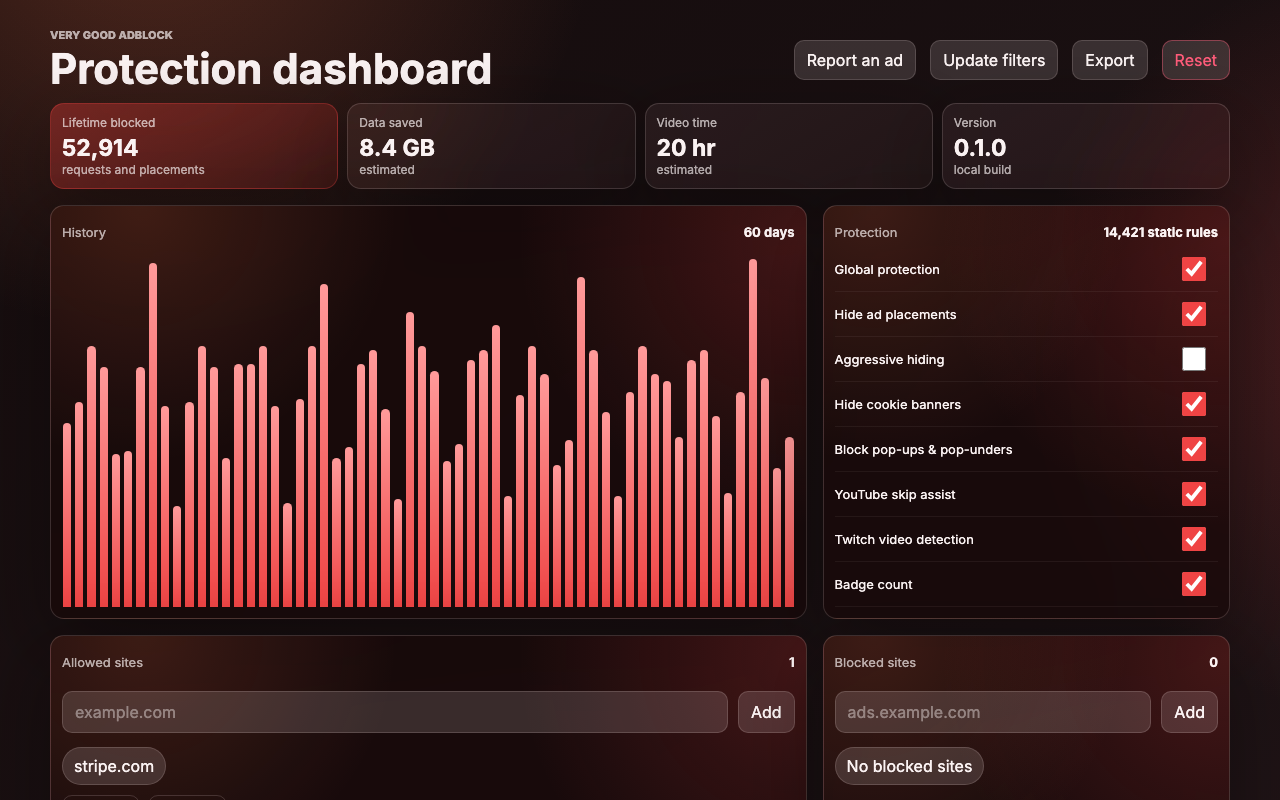
Use the options dashboard to:
- Review lifetime stats and 60-day history.
- Manage allowed and blocked sites, and import/export the allowlist as JSON.
- Toggle YouTube skip assist, Twitch ad muting, cookie-banner hiding, pop-up/pop-under blocking, and badge counts.
- Update the network filter list on demand ("Update filters").
- Export or reset local stats.
- Inspect filter and cloud-sync diagnostics.
- Report an ad that slipped through ("Report an ad") — same pre-filled GitHub issue as the popup.
Stats
Exact network byte savings are not exposed by Chrome MV3 for every blocked item, so data saved and video minutes saved are clearly treated as estimates. Counts and local events are stored locally first, then compact lifetime and daily history are synced through Chrome.